Turn one trend into hundreds of unique videos, ready to post on all your accounts. Built for phone farms and multi-account operators.
The three pillars
Production now. Distribution next.
Then it runs itself.
Generate
Available nowTurn your trends and medias into hundreds of unique, ready-to-post videos.
Distribute
Coming soonAuto-distribute content across your accounts and delegate the day-to-day — every phone in your farm, controlled through the app. Built for phone farms.
Autopilot
Coming laterAI-driven account management — the whole flow runs itself, you set the strategy.
How it works
Four steps. Hundreds of videos.
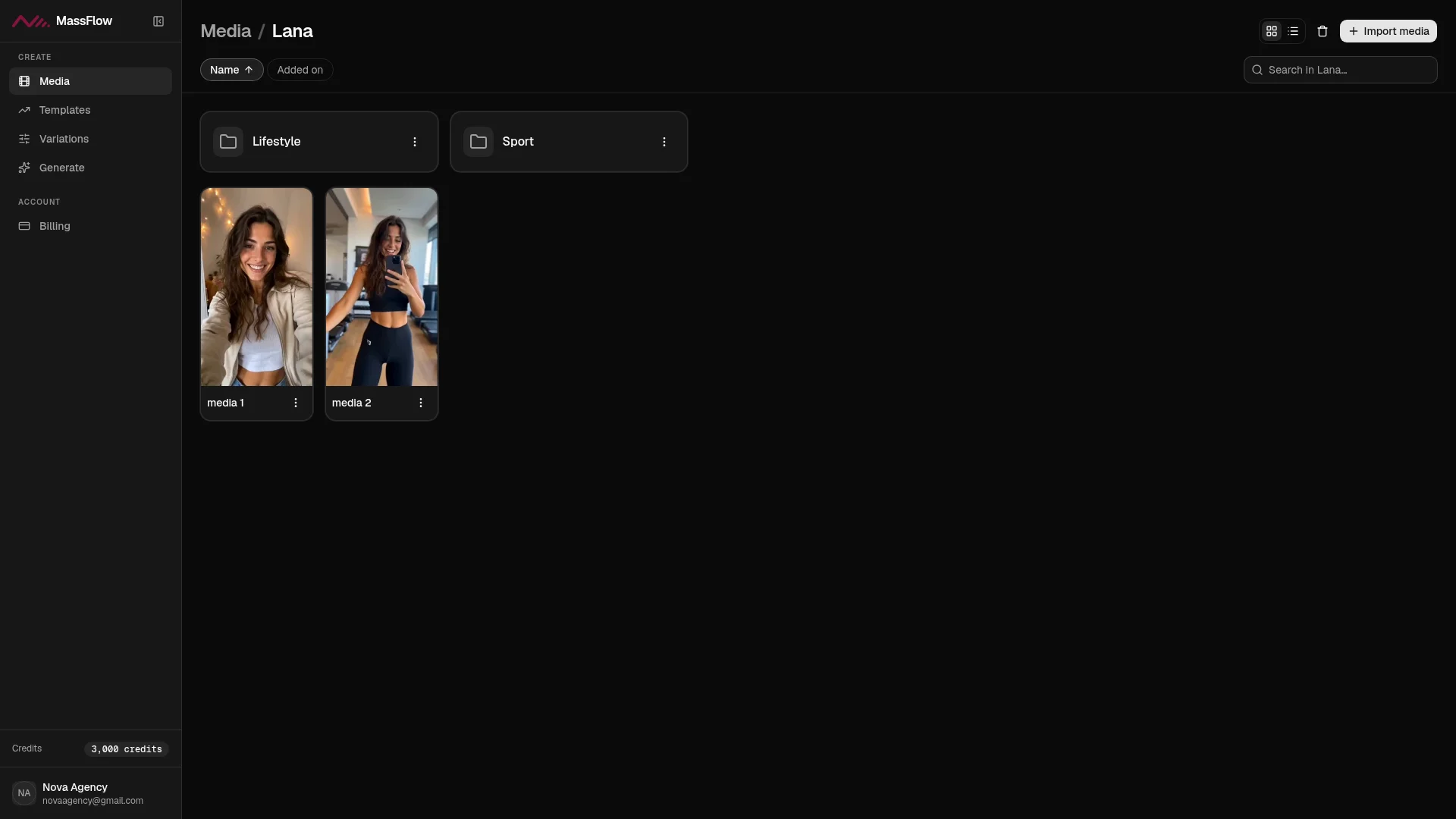
01 · Media
Upload once. Reuse forever.
Your clips live in one library — every video you'll ever generate starts here.
02 · Templates
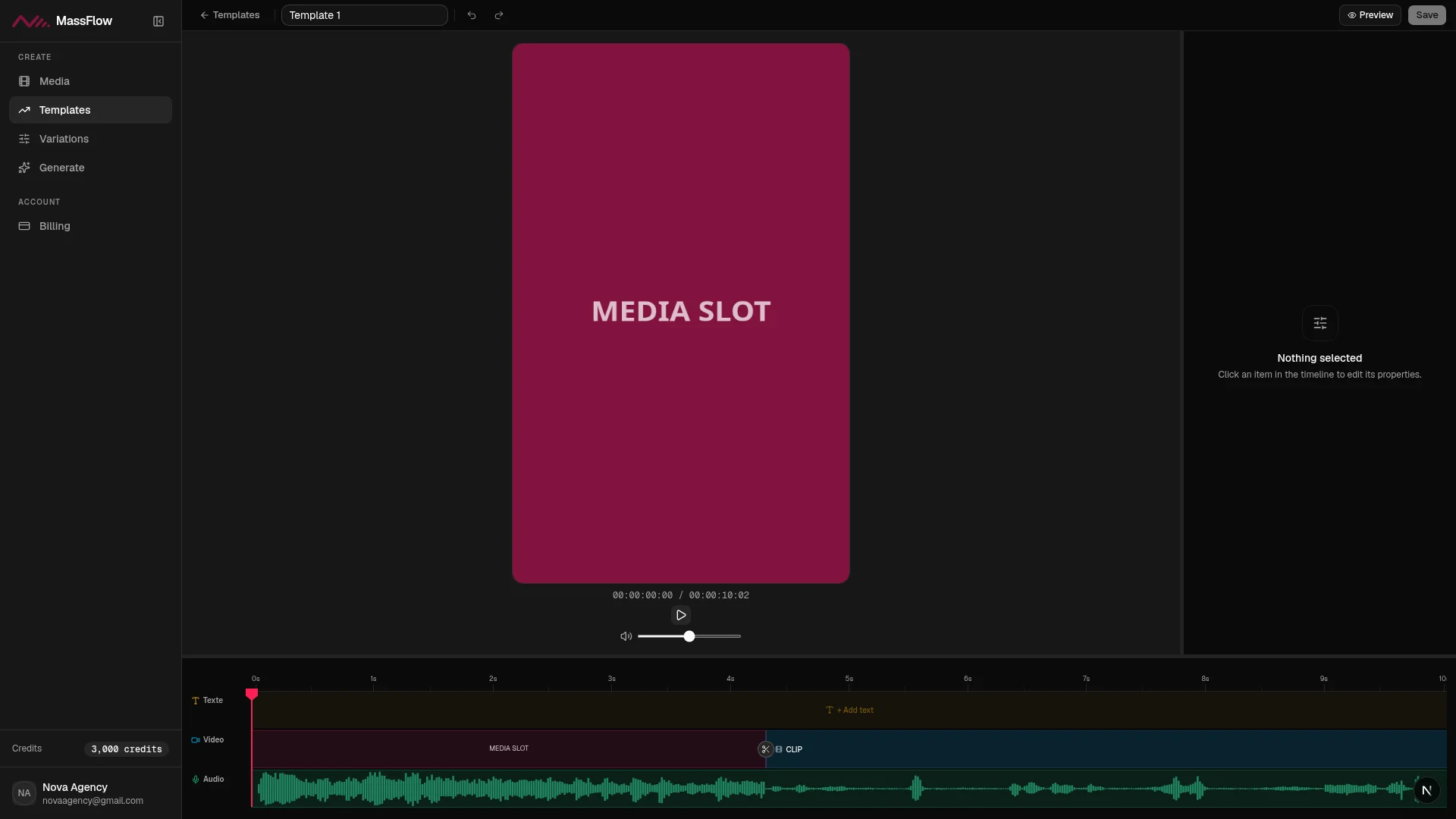
Turn any trend into a template.
Import a winning video — MassFlow breaks it into shots and turns it into a reusable template.
03 · Variations
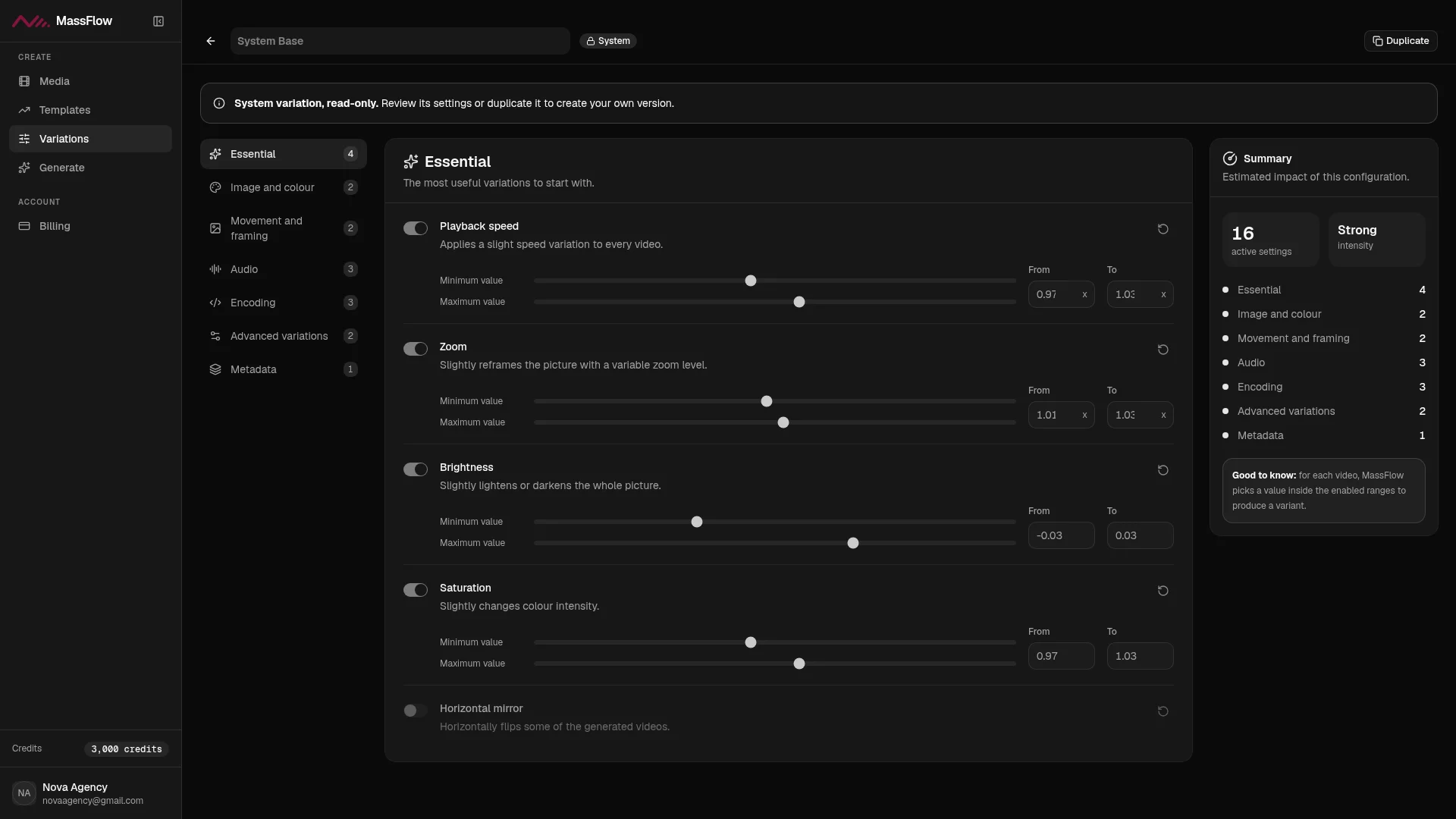
Same video. Never the same file.
Every export gets its own fingerprint — color, speed, zoom, sound — drawn fresh from ranges you control.
04 · Generate
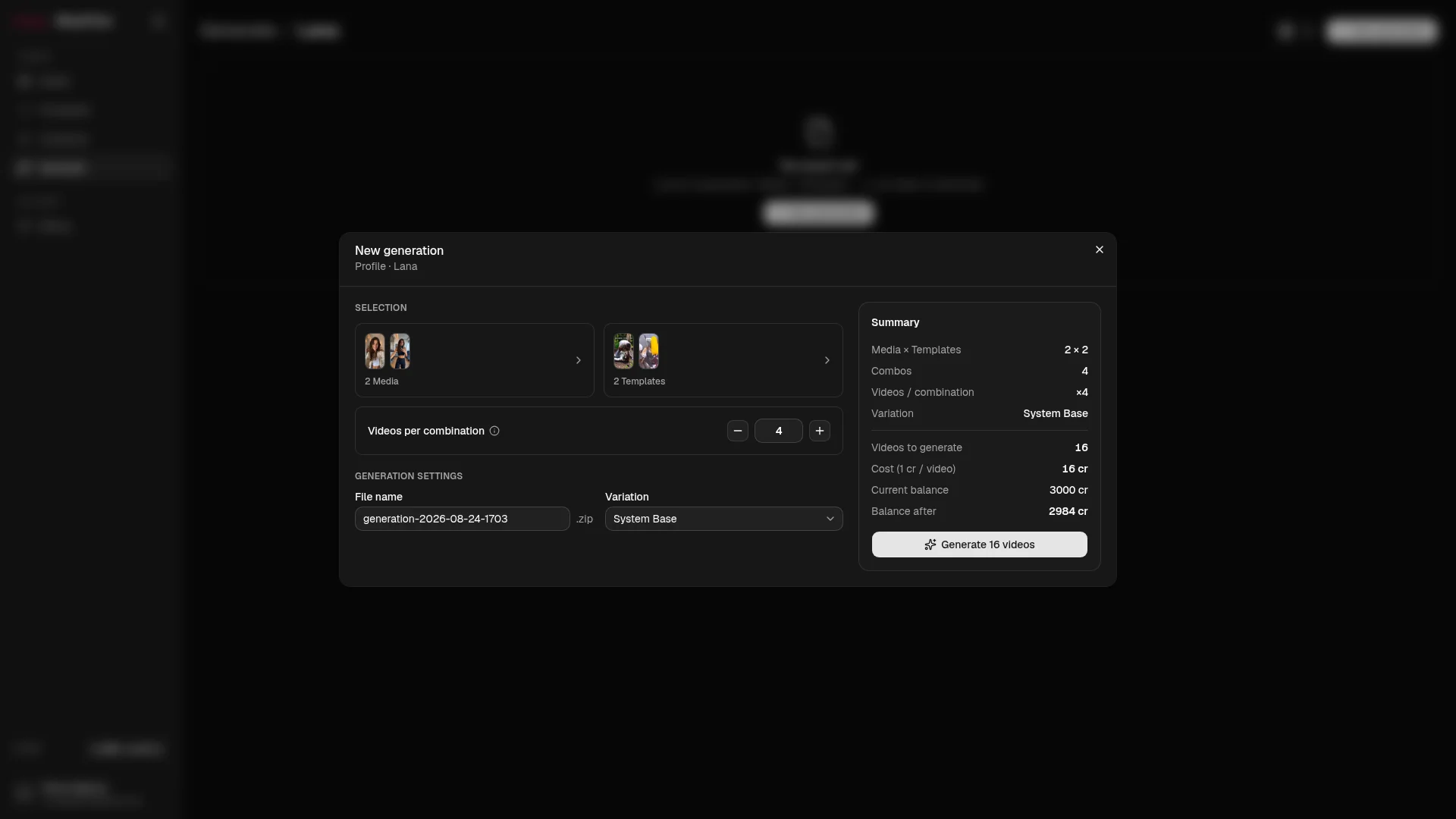
One click. A hundred videos.
Combine your Media and Templates, set a count — the whole generation renders while you do something else.
Pricing
Credits in, videos out.
Plans from 30,000 to 300,000 credits a month. Cancellations and failed renders refund automatically — you only ever pay for videos you actually get.
Starter
7 days free€49 / month excl. VAT
- 30,000 credits / month
- 300 videos / month
- Unlimited Media & Templates
- All 23 variation parameters
Growth
Most popular€99 / month excl. VAT
- 100,000 credits / month
- 1,000 videos / month
- Everything in Starter
- Built for daily multi-account posting
Scale
€199 / month excl. VAT
- 300,000 credits / month
- 3,000 videos / month
- Everything in Growth
- Built for phone-farm scale
Need a spike, not an upgrade? One-time credit packs — generation only, they never expire.
Referral
Refer a friend: they save €10, you get credits for an extra account. Every month.
Your network grows your farm. Each subscribed referral adds 10,000 credits to your monthly allowance — the same credits your plan gives you, on top of it, month after month.
Share your link
Every account gets a referral link. Send it to a friend who runs content at scale.
They save €10
Your friend starts the 7-day trial and gets €10 off their first invoice.
You get an extra account
+10,000 credits every month, per subscribed friend — enough to run one more account. No cap, for as long as they stay.
Available from your account once you subscribe. Credits follow your plan's monthly cycle and never touch your price.
Get your linkGood to know.
What exactly is a credit?
One video costs 100 credits. A generation of 20 Media × 1 Template × 5 variants (100 videos) costs exactly 10,000 credits. Credits included in your plan reset monthly; credits bought as packs never expire, fund generation only, and are used after your monthly allowance.
What happens if a render fails or I cancel a generation?
You get the credits back, automatically. Cancelled generations refund every unrendered variant, and any render that fails is refunded without you asking. Refunds always go to your never-expiring balance — you are only ever charged for videos you actually receive.
How long do my generated videos stay available?
30 days. A finished generation is packaged as a ZIP and stays downloadable for 30 days after it completes, then it is purged automatically — download your generations within that window. Your Media, Templates and Variations are permanent, and anything you delete sits in a 30-day trash first.
What are the requirements for Media clips?
Vertical video only — portrait orientation (taller than wide; landscape and square are rejected), up to 2 minutes and roughly 200 MB per clip. That is what a slot in a Template expects.
Are the generated videos really different from each other?
Yes, technically and measurably. Each output resolves its own values across 23 parameters — color, encoding, timing, geometry, audio, metadata — from a deterministic seed, so every file has its own fingerprint. We don't make claims about any platform's internal systems.
How does the free trial work?
The 7-day trial is on the Starter plan — full access, 30,000 credits, card required, one trial per organisation. Cancel during the trial and you pay nothing and keep access until day 7; if you don't cancel it converts to the paid plan automatically. There is no free tier: once the trial ends without a subscription the account is paused (your media, templates and any purchased credits are kept) until you subscribe.
Is there a referral program?
Yes. Every account has a referral link. A friend who signs up through it gets €10 off their first invoice; you get 10,000 extra credits per month for each referred friend who stays subscribed — enough to run one more account — with no cap. Credits are added to your monthly allowance; your own price never changes.